Turn a product photo into an AI ad: a 15-second plan
Plan the source image, motion, product checks and cost log before generating your first clip.
By AIPICKER · Published and reviewed: 2026-09-17
We may earn commissions from linked tools. Affiliate relationships do not affect matching scores.
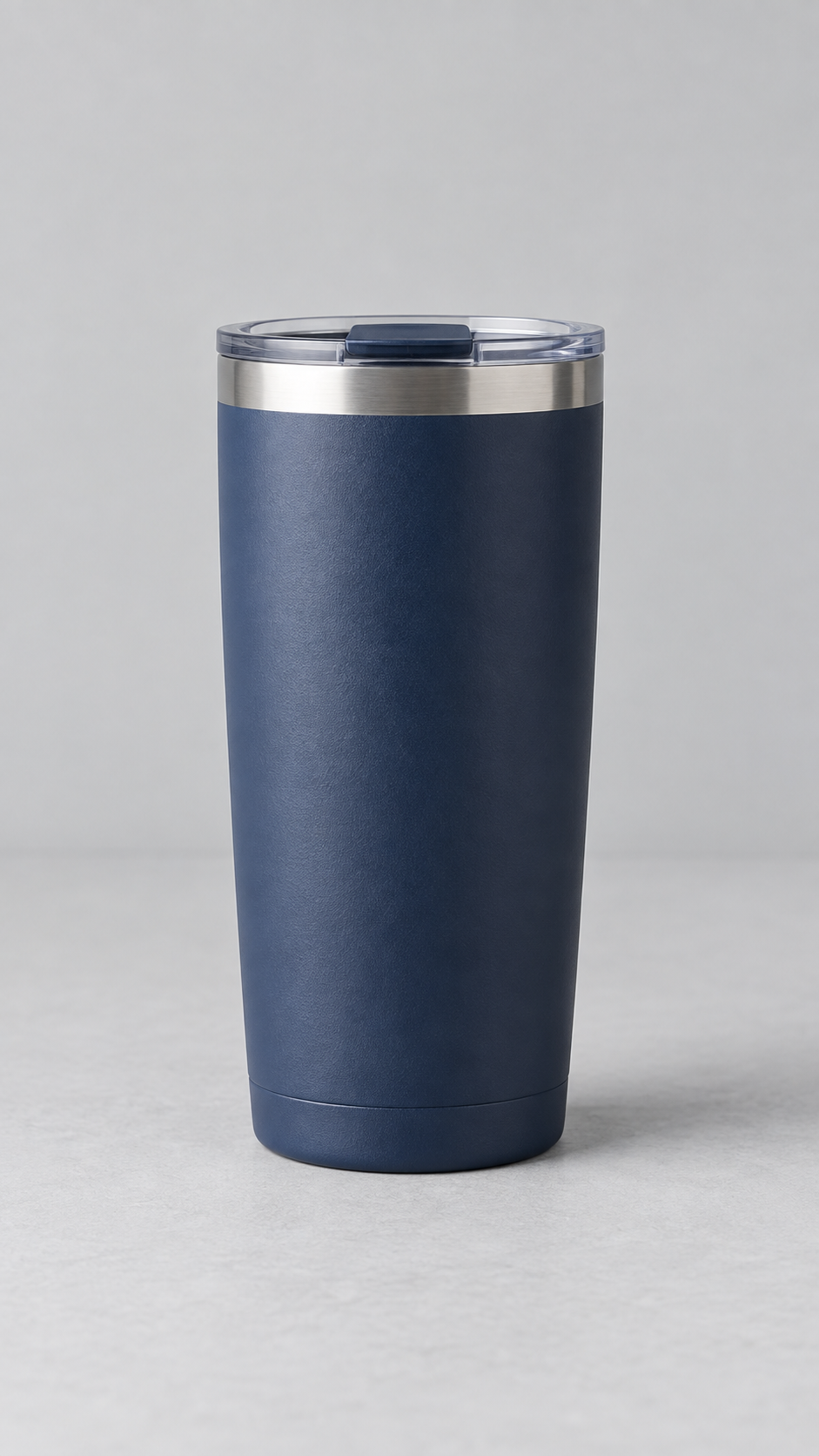
Hands-on case: from a tumbler image to a 15-second demo
On 2026-09-17 we uploaded an AI-generated unbranded tumbler to Higgsfield and generated once with MiniMax Hailuo 02 Fast. The settings were 6 seconds and 512p; the downloaded clip is about 5.88 seconds at 512×910 and 24fps. The silent final demo below adds the source image and Korean captions before and after the generated shot. It is not an ad for real merchandise.
View the unedited generated clip (about 5.88 seconds)
Cost and attempt log
- One video generation; the button displayed a cost of 3 credits. Existing credits were used without a new purchase or top-up.
- The source was prepared separately with OpenAI image generation. Total production cost including subscriptions was not calculated; 3 credits is not a full production cost or a general price quote.
- The request and output were observed, but server-only generation time was not measured. Navigation, upload and editing time are separate.
Observed result and limitations
We compared the body and lid at the beginning, middle and end. Motion is subtle, with small changes in the lid’s top position and reflections, so product identity is not perfectly locked. This output illustrates the process rather than proving precise product reproduction. It is one attempt, not evidence of superiority over other models.
Actual edit
0–3 seconds: source image; 3–about 8.88 seconds: generated shot; remaining time: source and guide call to action. No music or voiceover was added. AI disclosure and source provenance metadata were retained, with captions added during editing.
Output use and AI disclosure: Higgsfield terms 4.4, 5.5 and 6.4 (reviewed 2026-09-17)
Define what the viewer should see
Start with one product and one message. Showing a tumbler’s shape is different from proving insulation performance. This plan introduces appearance. A photo cannot establish durability, insulation time or customer satisfaction, so omit those claims. This is a production plan, not a measured success report for a particular tool.
Four checks for the source photo
Check that the lid and base are visible, the subject separates from the background, essential text is readable, and you have permission to publish. A simple background makes reflective edges easier to inspect. For a vertical ad, choose a portrait source with the full product and space for captions. Do not copy another seller’s listing photo.
A 15-second edit need not be 15 generated seconds
Seconds 0–3: introduce the product with the original photo. 3–8: use a short generated push-in. 8–12: crop into a source-photo detail in your editor. 12–15: return to the source with a call to action. Generate only where motion matters. Distinguish editor zooms from generated footage in your production record.
Start with a single motion
Example prompt: “The camera slowly pushes in toward the tumbler. The tumbler stays still on the table. Soft daylight remains steady. One continuous shot.” Let the image supply appearance and use the prompt to specify motion. Controls vary by tool. Combining rotation, zoom and a new background makes failures harder to diagnose.
Check product identity even when the clip looks good
Compare the lid, handle, base and logo against the source at the start, middle and end. Set aside clips with stretched parts or changed lettering. Add verified text and prices in the editor. A shorter clean segment may be usable, but never present generated distortions as real product features.
Record subscription and consumed credits separately
Log model, duration, resolution and quoted credits before generation; record actual consumption and whether you used the output afterwards. Include discarded attempts. A monthly subscription is not a per-video price. If you use promotional credits, state that and the observed conditions. Set a retry budget before starting.
Explore tools and budget
Open the related workflowSources and corrections
Examples and review procedures are AIPICKER production guidance. General feature context draws on the following official resource.
Runway · Image to Video Prompting Guide